
Offline-first POS for Philippine stores
StackPOS is a point of sale built for how the Philippines actually trades, fast, offline-first, and connected to the stock and books behind the counter.
After register setup and sync, supported cash sales queue on your device during internet outages and sync when connectivity returns.
Barcode-first billing, big-button or keyboard layouts, and split tenders, cashiers learn it in an afternoon.
One master catalog and price list from HQ, with branch-level stock, offers and a consolidated sales view.
Core POS
Sales Management
Take the money your customers actually carry
Mobile wallets, cards and cash are native tenders at the till, and each reconciles cleanly against your accounts at day-end.
See the till on your products.
Book a 30-minute demo, or start free with a single outlet.
Inside the StackPOS app
See checkout and inventory in practice
These screenshots come from the real application with sample store data. They show the workflow you can rehearse during your trial.
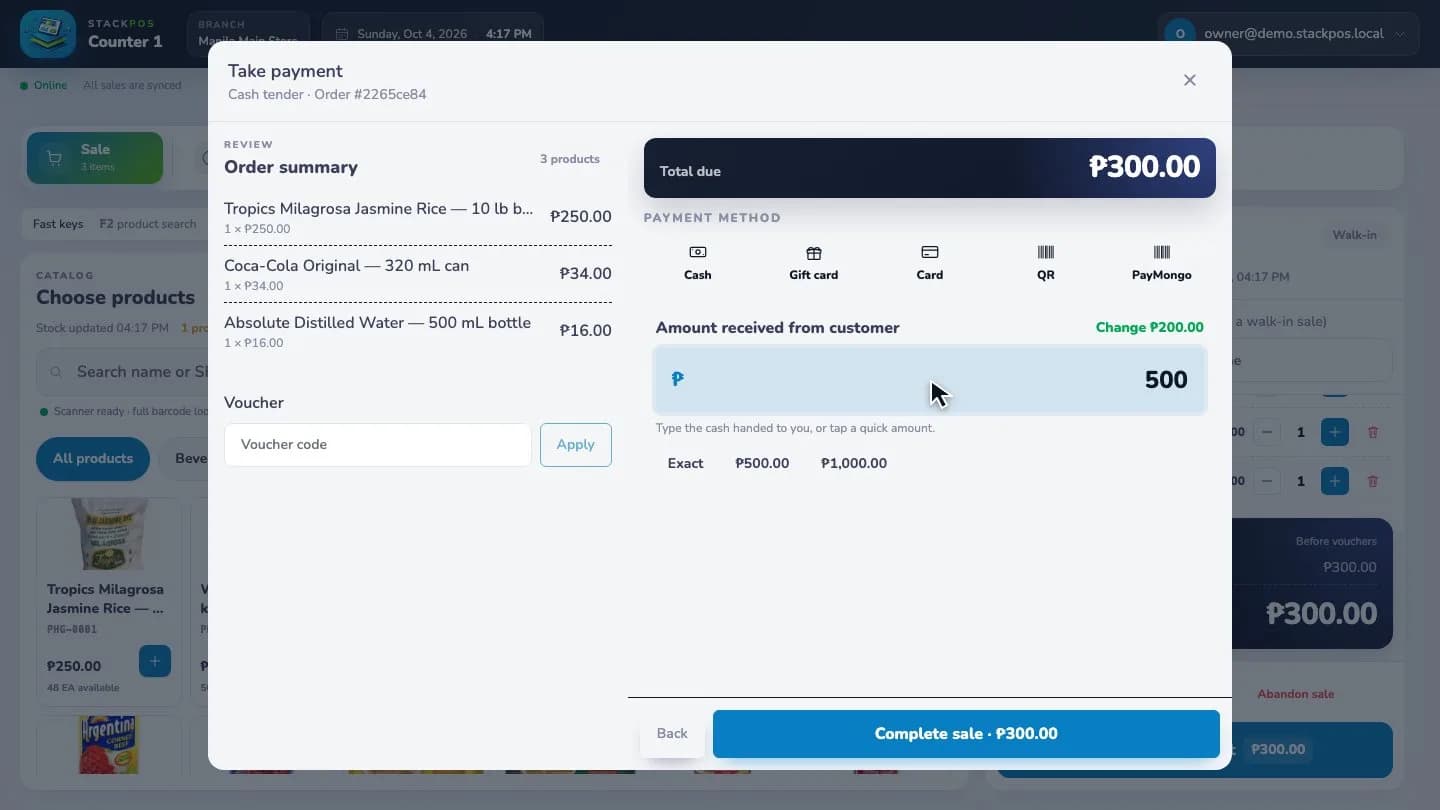
Complete a cash sale
Build a grocery basket, enter the cash received and check the change before completing checkout.
Sample data · Captured online
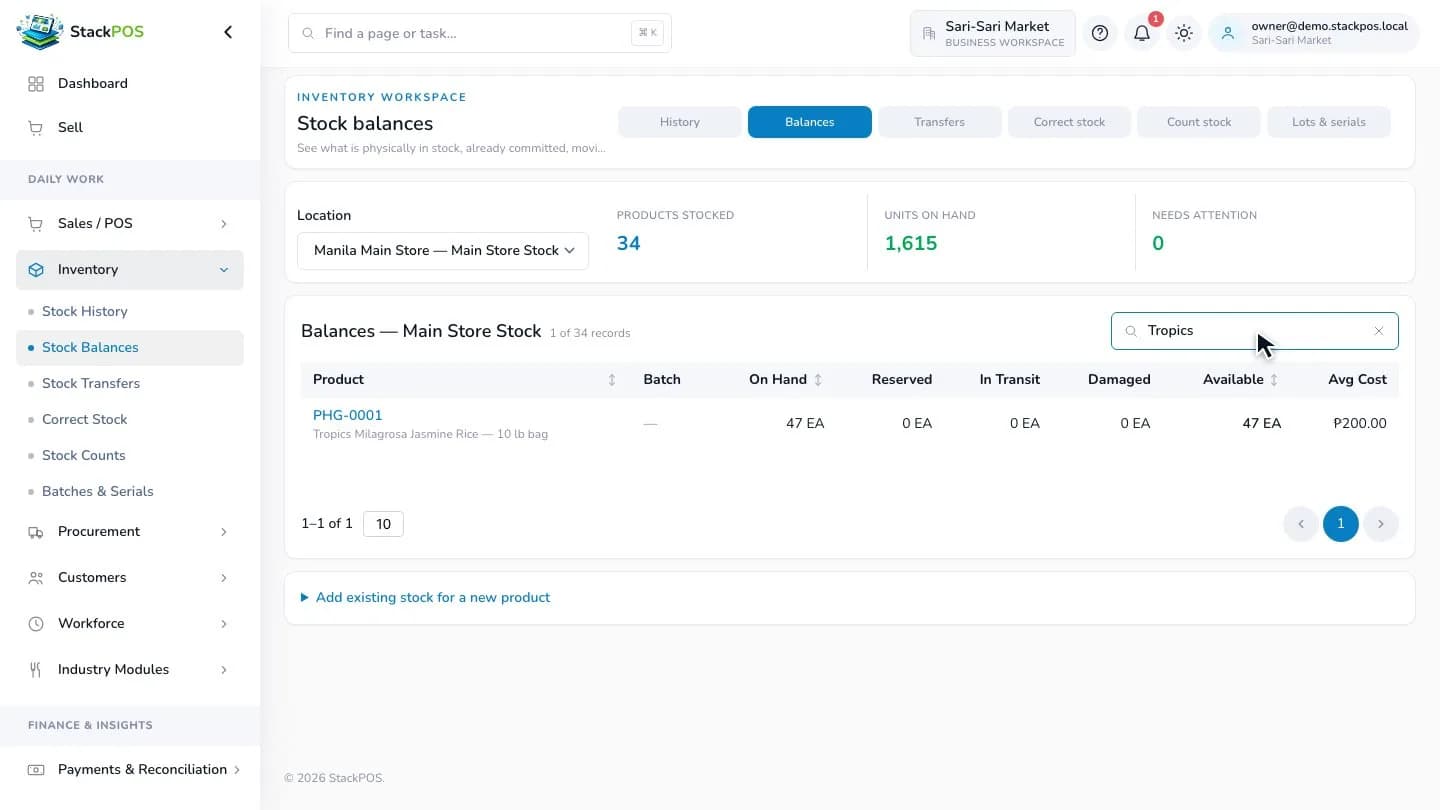
Check the stock at a location
Find a product in stock balances and review its on-hand, reserved, in-transit and available quantities.
Sample data · Captured online
Test your store's daily routine before switching
Bring your own products and devices into a trial. Verify opening stock before putting a register into daily use, and rehearse these tasks with your cashiers.
- Scan a basket with similar products and different pack sizes.
- Complete a cash sale, check the receipt and review the stock balance.
- Prepare and sync a register, then rehearse a supported cash sale during an internet outage.
- Receive a delivery and test a stock transfer if your chosen plan includes it.
- Check the exact printer, scanner and cash drawer you plan to use.